Please follow the below
mentioned steps to install Oracle Client
Version 10g
Run
the Setup application

Oracle Universal Installer initial window will be opened

Setup
will install. Please click Next from
Oracle Universal Installer window

Check
the option Custom from
Select installation type window

After
selecting the option click” Next”
Specify
the Following Name and path as
mentioned below and click Next
Name: OraClient10g_home1
Path : D:\oracle\product\10.2.0\client_1

Check
all the components from Available
Product Components window and click Next

Click
Next if you see the message “Passed
(Shows that your system meets the
prrequisites for installation)

Enter
the port number “2030” and click “Next”

Installer
will show Summary , Click “Next” to
proceed further
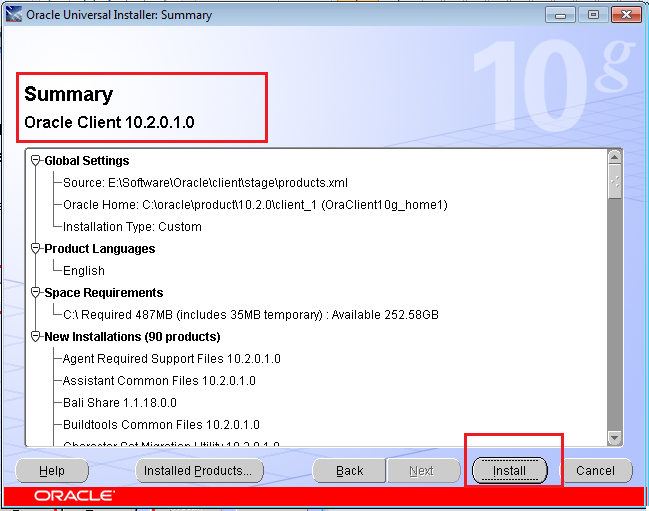
Installation
Process will continue

Oracle
Net Configuration will start

Please check the box “Perform typical configuration “and click “ Next”

Click
exit to end to close the installation window

**********END**********